You send SIGTERM and the process keeps running. After SIGKILL, it may terminate but remain in ps as a zombie. A handler invoked during a blocking operation can cause the syscall to return EINTR. Signals look simple — send a number, the process reacts — until you need to explain those differences.
This article takes signals apart: what delivery actually means, why some signals can’t be caught, how SIGCHLD ties into the fork() mechanism and zombie processes, and which operations are safe inside a handler versus which ones will blow your process up.
What a signal is — from the kernel’s perspective
A signal is a notification managed by the kernel. It may originate in another process or result from a fault in the current instruction, such as SIGSEGV. Standard signals do not queue repeated occurrences of the same number; real-time signals have different semantics and can be queued.
The blocked mask belongs to a thread. Pending signals have been generated but not yet delivered; they may be pending for the process or for a particular thread. Signal dispositions are shared across the process’s threads.
When process A calls kill(pid_B, SIGTERM), the kernel doesn’t immediately hand control to process B. It sets the SIGTERM bit in B’s pending mask and returns. Actual delivery — the moment B interrupts what it was doing and runs the signal’s action — happens only at the next transition from kernel mode back to user mode: typically on return from a syscall or from a timer interrupt.
This distinction between a signal being generated and being delivered is the source of most counterintuitive behavior. A process blocked in a long syscall can hold a signal pending for a while before it gets handled.
Signal dispositions: three possible reactions
For each signal, a process has one of three dispositions set, which decides what happens on delivery:
- Default action (
SIG_DFL) — kernel-defined behavior: terminate, terminate with a core dump, ignore, or stop. - Ignore (
SIG_IGN) — the signal is discarded on delivery. - Handler — a user function registered via
sigaction(), invoked in the process context at the moment of delivery.
The table shows common default actions. Its numbers apply to architectures including x86-64. Use names such as SIGTERM and SIGCHLD in code: some signal numbers vary by architecture. Whether a core file is produced also depends on system configuration.
| Signal | Number | Default action | Catchable? | Typical source |
|---|---|---|---|---|
| SIGTERM | 15 | Terminate | Yes | Polite shutdown request (kill) |
| SIGKILL | 9 | Terminate | No | Forced process kill |
| SIGINT | 2 | Terminate | Yes | Ctrl+C in a terminal |
| SIGSEGV | 11 | Core dump | Yes | Memory protection violation |
| SIGCHLD | 17 | Ignore | Yes | Child process state change |
| SIGSTOP | 19 | Stop | No | Suspend process |
| SIGHUP | 1 | Terminate | Yes | Terminal hangup / config reload |
SIGKILL and SIGSTOP — why you can’t catch them
Two signals — SIGKILL (9) and SIGSTOP (19) — are uncatchable by design. You can’t register a handler for them, can’t set them to be ignored, can’t block them with a mask. The kernel handles them itself, without ever returning control to the process.
This is a deliberate design decision. If a process could intercept SIGKILL, it could ignore a termination request and become unkillable. SIGKILL is the operating system’s last-resort mechanism — the ability to force termination without the user-space program’s consent, when the kernel can carry it out. Trying to install a handler fails with EINVAL:
#include <signal.h>
#include <stdio.h>
#include <errno.h>
#include <string.h>

int main(void) {
    struct sigaction sa = {0};
    sa.sa_handler = SIG_IGN;

    if (sigaction(SIGKILL, &sa, NULL) == -1) {
        // errno == EINVAL: SIGKILL cannot have a handler
        fprintf(stderr, "sigaction(SIGKILL): %s\n", strerror(errno));
    }
    return 0;
}
A process may not react to SIGTERM because the signal is blocked or ignored, its handler is still cleaning up, or execution is stuck in the kernel. During an uninterruptible wait, even SIGKILL may take effect only after that state is left.
SIGCHLD and zombie processes
This is where signals meet process management. When a child process terminates, the kernel sends SIGCHLD to the parent and — crucially — keeps a minimal entry for the child in the process table. That entry holds the exit code, resource usage statistics, and the PID. A process in this state is a zombie (state Z): it no longer runs any code, but it still occupies a slot in the process table.
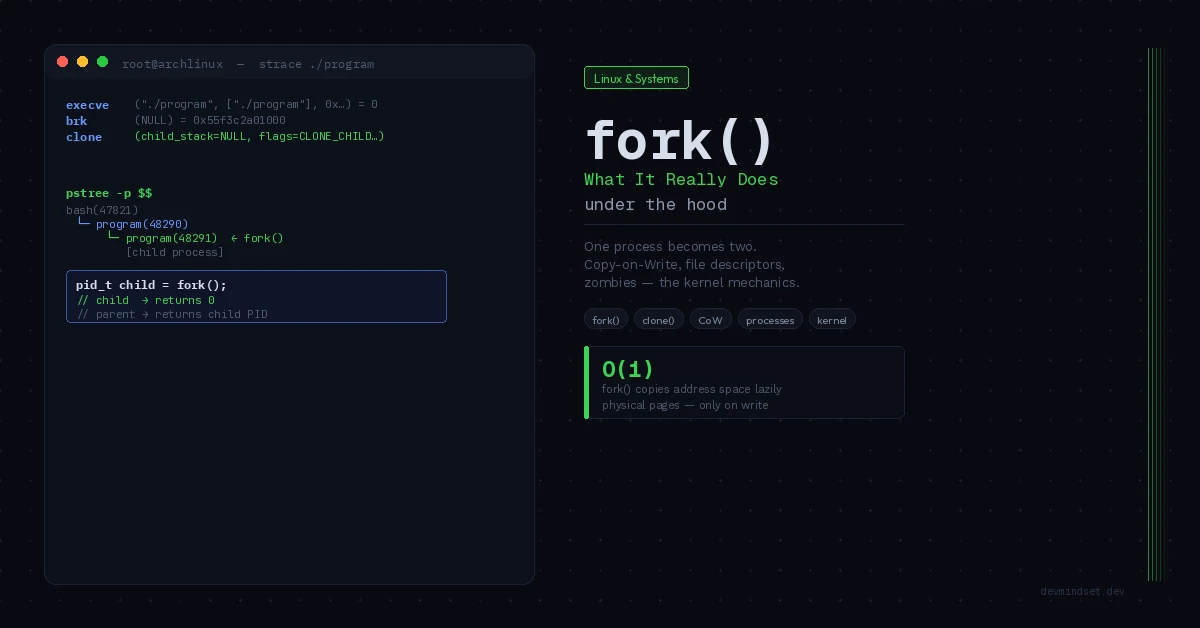
The entry disappears only when the parent calls wait() or waitpid() and collects the exit code — an operation called reaping. I covered the same topic in detail from the process-creation side in the article on what fork() in Linux really does; here we look at it from the signal side.
The default action for SIGCHLD is to ignore the signal, but leaving SIG_DFL in place does not remove zombies. The parent collects status with wait() or waitpid(). On Linux, explicitly setting SIG_IGN or SA_NOCLDWAIT changes this behavior and prevents zombies. To collect statuses in a handler, use a loop:
#include <errno.h>
#include <signal.h>
#include <sys/wait.h>
#include <unistd.h>

// Reaper: collects ALL terminated child processes.
// The loop is mandatory — a single SIGCHLD can represent
// multiple terminated children (signals don't queue).
void sigchld_handler(int signo) {
    (void)signo;
    int saved_errno = errno;   // handler must preserve errno
    pid_t pid;

    while ((pid = waitpid(-1, NULL, WNOHANG)) > 0) {
        // reaped the process with this PID
    }

    errno = saved_errno;
}

int install_reaper(void) {
    struct sigaction sa = {0};
    sa.sa_handler = sigchld_handler;
    sigemptyset(&sa.sa_mask);
    sa.sa_flags = SA_RESTART | SA_NOCLDSTOP;  // restart selected syscalls; no SIGCHLD for child stop/continue

    return sigaction(SIGCHLD, &sa, NULL);
}
The while loop with WNOHANG is there for a reason. Standard signals do not queue: if three children terminate in quick succession before the handler gets a chance to run, you receive a single SIGCHLD, not three. A handler that calls waitpid() only once reaps one child and leaves two zombies behind. The loop collects everything available at once.
Async-signal-safety: what’s allowed in a handler
A signal handler runs asynchronously — it can interrupt the process’s main code at any point, including in the middle of a standard library call. This leads to the most common signal-handling bug: calling a function that isn’t async-signal-safe.
Imagine the process is in the middle of malloc(), which is modifying internal heap structures and holding a lock. A signal arrives, the handler calls printf() — which internally also calls malloc(). The second allocation tries to take the same lock the interrupted code is holding. The result is a deadlock or heap corruption. The same applies to any function that operates on shared global state.
POSIX defines a narrow list of functions guaranteed to be async-signal-safe. The most important ones:
| Safe in a handler | UNSAFE — never in a handler |
|---|---|
write() | printf(), fprintf() |
read() | malloc(), free() |
waitpid() | fopen(), fclose() |
_exit() | exit() (runs atexit) |
signal(), sigaction() | most stdio functions |
kill() | locale functions (setlocale) |
The practical pattern: keep the handler as short as possible. Ideally it just sets a volatile sig_atomic_t flag and returns, while all the logic runs in the program’s main loop after checking the flag. If the handler must log something, it uses write() directly on a descriptor, never printf().
The loop below is a skeleton: a real application must perform work or wait for events. A sig_atomic_t flag does not replace synchronization between threads.
#include <signal.h>
#include <unistd.h>

// Flag modified by the handler, read by the main loop.
// volatile: the compiler can't cache it in a register.
// sig_atomic_t: guarantees atomic read/write.
static volatile sig_atomic_t shutdown_requested = 0;

void handle_term(int signo) {
    shutdown_requested = 1;
    // optional log — write() is async-signal-safe
    const char msg[] = "SIGTERM received, shutting down\n";
    write(STDERR_FILENO, msg, sizeof(msg) - 1);
}

int main(void) {
    struct sigaction sa = {0};
    sa.sa_handler = handle_term;
    sigemptyset(&sa.sa_mask);
    sa.sa_flags = SA_RESTART;
    sigaction(SIGTERM, &sa, NULL);

    while (!shutdown_requested) {
        // main loop: this is where all the real work happens,
        // including resource cleanup once the flag is detected
    }

    // graceful shutdown outside the handler — anything is allowed here
    return 0;
}
SA_RESTART and interrupted syscalls
There’s one more mechanism that surprises people on first contact. When a signal is delivered during a blocking syscall — say, a read() waiting for data on a socket — the syscall may be interrupted and return the error EINTR instead of completing the operation.
SA_RESTART automatically restarts selected calls. You can also handle EINTR explicitly, but the decision depends on the operation: blindly retrying a read during shutdown may delay termination.
#include <unistd.h>
#include <errno.h>

// Wrapper resilient to signal interruption.
// Retries read() on EINTR instead of treating it as an error.
ssize_t read_retry(int fd, void *buf, size_t count) {
    ssize_t n;
    do {
        n = read(fd, buf, count);
    } while (n == -1 && errno == EINTR);
    return n;
}
Note: SA_RESTART doesn’t work for all syscalls. Some of them — including those tied to waiting for events, like certain poll() variants or timer operations — return EINTR regardless of the flag. That’s why defensive network code should handle EINTR explicitly anyway, even with SA_RESTART set.
Diagnostics: inspecting signals in a running process
When a process behaves strangely toward signals, you don’t have to guess. The file /proc/<pid>/status shows the current signal masks in hexadecimal:
$ grep -E 'Sig|Shd' /proc/$(pgrep -n nginx)/status
SigQ:   0/31228          # queued signals / limit
SigPnd: 0000000000000000 # pending for this thread
SigBlk: 0000000000000000 # blocked (mask)
SigIgn: 0000000000001000 # ignored
SigCgt: 0000000180014a07 # caught (have a handler)
Each bit corresponds to one signal (bit 0 = signal 1). The SigCgt mask tells you which signals the process handles with its own handler — useful when you want to verify an application actually responds to SIGHUP (config reload) before sending it in production.
strace shows delivered signals and returns from handlers. The article on reading syscall traces with strace explains how to interpret the output. The trace=%signal syscall filter and the signal=all delivered-signal filter serve different purposes.
$ strace -e trace=%signal -e signal=all -p <pid>
--- SIGTERM {si_signo=SIGTERM, si_code=SI_USER, si_pid=4821} ---
rt_sigreturn({mask=[]})  = 202
# you can see SIGTERM delivered and the return from the handler
Summary
Signals in Linux aren’t a simple “send a number, the process reacts” mechanism. They’re an asynchronous interface with three layers of subtlety: the distinction between generation and delivery, the constraints on what you’re allowed to do in a handler, and the non-queuing of standard signals. The most common bugs come from ignoring those three things — a handler calling printf(), a reaper without a while loop, network code that doesn’t handle EINTR.
The rule of thumb: treat a signal handler like a hardware interrupt routine. The less you do in it, the fewer things can go wrong. Set a flag, return, handle the rest in the main loop — and never assume one signal means one event.
Technical references: signal(7), signal-safety(7), waitpid(2).