This blog uses a custom MCP server to work with WordPress content. That is the practical context for this article: protocol architecture, implementation choices and a Python server skeleton. What a server can change depends on the tools and permissions it actually exposes.
The Model Context Protocol (MCP) is an open standard for connecting AI applications to tools and data. As of September 27, 2026, the current specification is 2026-07-28 and the official Python SDK is on the 2.x line. The FastMCP example below retains the 1.x API; its dependency requirements are stated beside the code to keep the two generations separate.
What MCP actually solves
The problem MCP addresses is combinatorial. You have M LLM applications (Claude Desktop, Cursor, VS Code, ChatGPT) and N external systems (a database, GitHub, an internal API, WordPress). Without a shared standard, every pair needs a bespoke integration — that’s M×N implementations, each with its own format, its own auth, its own maintenance burden. MCP collapses that into M+N: you write the server once, and every compliant client can discover and use it without a line of code on its side.
Mechanically, MCP sits on JSON-RPC 2.0 and defines three roles. The host is the LLM application that coordinates everything. The client is instantiated by the host — one client per server. The server provides context and capabilities. It’s deliberately modeled on the Language Server Protocol: just as LSP standardized language support across editors, MCP standardizes wiring tools and data into the AI ecosystem.
Function calling and MCP address different layers. The former lets a model propose function calls; MCP describes how a client discovers and invokes an external server’s capabilities. In revision 2026-07-28, protocol metadata accompanies each request. Earlier revisions negotiated versions during initialization.
Three primitives: tools, resources, and prompts
An MCP server exposes capabilities through three primitives. Conflating them is the most common design mistake — each has a different contract and a different use.
| Primitive | What it is | Who controls it | Use for |
|---|---|---|---|
| Tool | Executable action with validation and logic | Model (calls when needed) | Side-effecting operations, complex logic |
| Resource | Read-only data under a URI template | Application / host | Static or semi-static context |
| Prompt | Reusable template | User (selects deliberately) | Repeatable, structured instructions |
Rule of thumb: Tool when you need input validation and business logic (“create a post with title X and status Y”). Resource when you expose data under a simple parameter (“the contents of document Z”). Prompt when you hand the user a ready-made, parameterized scenario. In practice, most servers start and end with tools — the rest is context optimization.
Transport: stdio vs Streamable HTTP
MCP defines two transports, and choosing between them is the first architectural decision when building an MCP server.
| Dimension | stdio | Streamable HTTP |
|---|---|---|
| Location | Local, same machine | Remote, over HTTPS |
| Run model | Host subprocess | Network service |
| Clients | One (process) | Many concurrently |
| Authorization | Inherited from OS | OAuth 2.1 / OIDC |
| Use for | CLI tools, local integrations | Production servers, SaaS |
Revision 2026-07-28 carries protocol metadata in individual requests and provides server/discover. A sessionless model makes it easier to route requests to different instances. A deployment must still handle its application state, authorization and compatibility with older clients; a load balancer does not solve those problems by itself.
This doesn’t mean your application has to be stateless. A server that needs state across calls does what HTTP APIs have always done: mint an explicit handle (say, a basket_id) from one tool and have the model pass it back as an ordinary argument on later calls. So design for stateless transport from the start — it’s the direction the protocol is heading, and the cheaper path to scale.
A FastMCP Server Skeleton for SDK 1.x
This example uses mcp.server.fastmcp.FastMCP from the maintained SDK 1.x line. Pin mcp>=1.28,<2, along with project-specific versions of httpx and Pydantic 2. SDK 2.x changes the API and requires a separate migration. The code demonstrates input validation and asynchronous I/O; it is not a complete production deployment.
API_BASE and the weather response fields are illustrative. Replace them with a real provider’s contract and validate its response. Until then, this example cannot retrieve a real forecast.
from __future__ import annotations

import os
import httpx
from pydantic import BaseModel, Field, ConfigDict
from mcp.server.fastmcp import FastMCP

# Name the server per the {service}_mcp convention
mcp = FastMCP("weather_mcp", port=8000)

API_BASE = "https://api.example-weather.com/v1"


class ForecastInput(BaseModel):
    """Input validation for a forecast query."""
    model_config = ConfigDict(
        str_strip_whitespace=True,
        extra="forbid",          # reject unknown fields
    )

    city: str = Field(..., description="City name, e.g. 'Wrocław'",
                      min_length=1, max_length=100)
    days: int = Field(default=3, description="Forecast horizon in days",
                      ge=1, le=14)


def _handle_error(e: Exception) -> str:
    """Consistent, actionable error messages for the model."""
    if isinstance(e, httpx.HTTPStatusError):
        code = e.response.status_code
        if code == 404:
            return "Error: city not found. Check the spelling of the name."
        if code == 429:
            return "Error: rate limit exceeded. Wait before retrying."
        return f"Error: API returned status {code}."
    if isinstance(e, httpx.TimeoutException):
        return "Error: request timed out. Please try again."
    return f"Error: unexpected exception: {type(e).__name__}"


@mcp.tool(
    name="get_forecast",
    annotations={
        "title": "Get weather forecast",
        "readOnlyHint": True,      # does not modify state
        "openWorldHint": True,     # reaches an external API
    },
)
async def get_forecast(params: ForecastInput) -> str:
    """Return a weather forecast for a city.

    Args:
        params: validated input (city, days).
    Returns:
        str: a formatted forecast or an actionable error message.
    """
    api_key = os.environ.get("WEATHER_API_KEY")
    if not api_key:
        return "Config error: WEATHER_API_KEY is missing from the environment."

    try:
        async with httpx.AsyncClient(timeout=10.0) as client:
            resp = await client.get(
                f"{API_BASE}/forecast",
                params={"q": params.city, "days": params.days},
                headers={"Authorization": f"Bearer {api_key}"},
            )
            resp.raise_for_status()
            data = resp.json()
    except Exception as e:
        return _handle_error(e)

    lines = [f"Forecast for {params.city} ({params.days} days):"]
    for day in data["forecast"]:
        lines.append(f"  {day['date']}: {day['temp_c']}°C, {day['condition']}")
    return "\n".join(lines)


if __name__ == "__main__":
    mcp.run()   # stdio transport (default)
Several things here are deliberate. The Pydantic model with extra="forbid" rejects unknown fields instead of silently ignoring them. The decorator annotations (readOnlyHint, openWorldHint) are signals to the host. All I/O is async. And the secret comes from an environment variable, not the code — which I’ll come back to under security.
Error handling that helps the model
Look at the _handle_error function above. This isn’t cosmetics. An error message in an MCP server is read by the model, not by a human staring at logs — and it decides whether the model recovers the call sensibly or gets stuck. “Error 404” says nothing; “city not found, check the spelling” tells the model what to do next. Treat every message as a recovery instruction, not a log line.
It’s the same discipline as debugging as a process of deduction rather than guessing — a precise signal instead of noise shortens the path to the cause. The difference is that here the recipient of the signal is a model planning its next step.
Security: why tool descriptions are untrusted
The MCP spec says it plainly: tools represent arbitrary code execution and must be treated with appropriate caution. Moreover — descriptions of tool behavior, including annotations, are untrusted unless they come from a trusted server. This is not a formality. A malicious server can smuggle instructions into a tool description or into a tool’s result that the model treats as a command — that’s prompt injection via tool output.
Read secrets from environment configuration or a secret manager, not code or tool descriptions. For a protected remote server, implement authorization appropriate to its MCP revision and validate tokens and permissions on the server. Pydantic checks data shape; it does not decide whether a user is allowed to perform an operation. Describe annotations honestly:
| Annotation | Meaning | Example |
|---|---|---|
readOnlyHint | Tool does not modify state | Fetch a forecast, read a post |
destructiveHint | May destructively change data | Delete a resource |
idempotentHint | Repeating changes nothing | Set a value to X |
openWorldHint | Reaches external systems | Query a weather API |
The host can use annotations when presenting tools and requesting consent. They are hints, not enforcement: readOnlyHint does not prevent writes, and destructiveHint does not replace permission checks.
State, concurrency, and scaling
A production server handles many clients at once, and every tool does I/O — a call to an API, a database, a disk. That’s why all the code is async (async def, httpx.AsyncClient): one process serves many concurrent calls without blocking, because while waiting on a network response the event loop switches to another task.
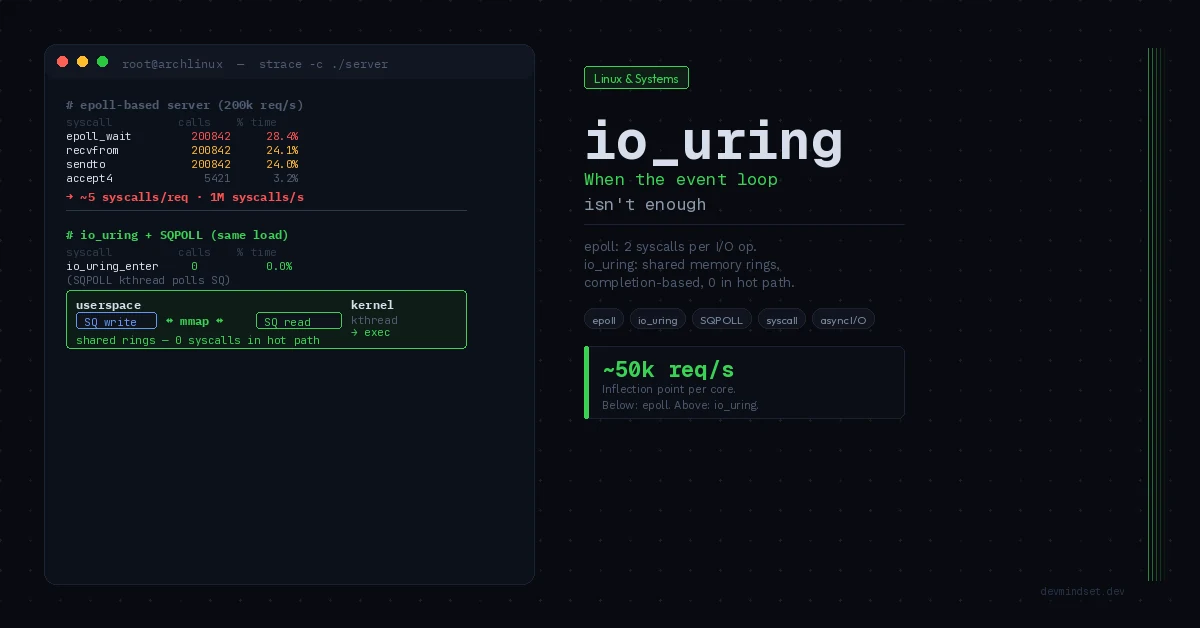
The relationship between network waits and event loops is covered in the epoll and io_uring comparison. async def helps overlap waits, but does not remove blocking code or expensive computation. Scaling also requires concurrency limits, timeouts and deliberate connection management.
# Choose one transport when starting this example.
# Local, over standard input and output:
mcp.run()

# Alternatively: HTTP in SDK 1.x; port is set in the constructor.
# mcp.run(transport="streamable-http")
Conclusion
First decide which operations the server exposes and who may invoke them. Then choose transport, validation, error handling and state management. A framework saves protocol code; responsibility for tool side effects stays with you.
When upgrading, check the protocol revision, SDK version and client capabilities separately. Explicit application-state handles can help scaling, but do not by themselves prove compatibility with a new specification. This is the first article in the MCP series; later entries will explore security and more advanced patterns.
Technical references: MCP versioning, 2026-07-28 transports, Python SDK 1.x, Python SDK 2.x and migration.